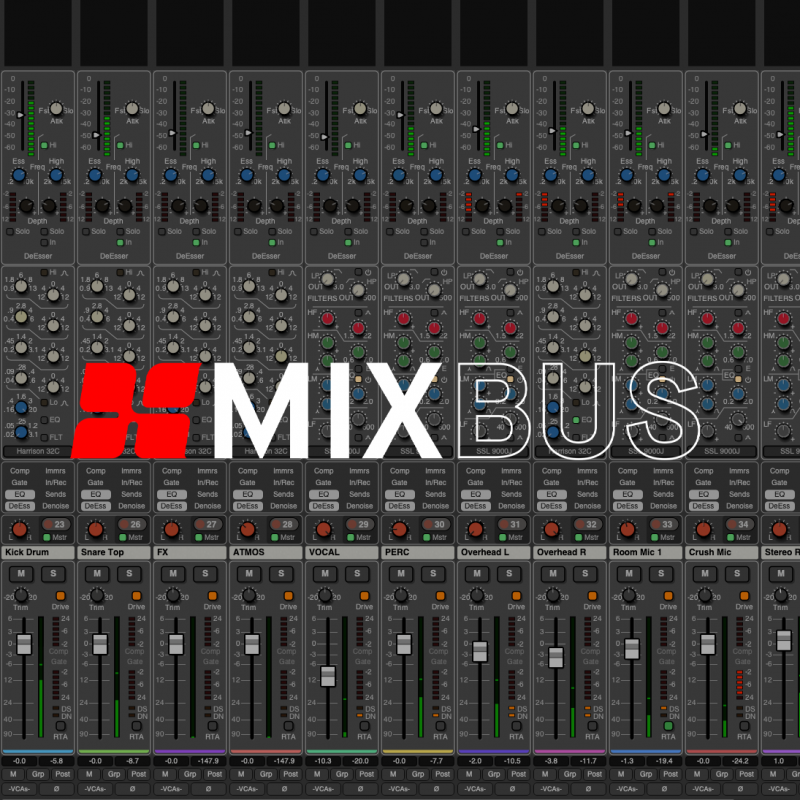
The Analog Console Inspired DAW
For half a century, Harrison Audio has been instrumental in shaping the sound of some of the most iconic records in history. Our analog mixing consoles have been at the heart of legendary recording studios worldwide, contributing to timeless albums by artists such as Michael Jackson, Queen, ABBA, Led Zeppelin, Genesis, Steely Dan, and many more.
Meet Mixbus, a Digital Audio Workstation that channels Harrison’s 50-year legacy into a powerful music production suite. Experience our signature analog console-inspired sound and workflow, now enhanced with a suite of powerful new tools designed to supercharge your creativity.

Crafted by musicians, for musicians...
Mixbus is packed with studio-grade multitrack recording and editing tools, intuitive arrangement features, and high-quality virtual instruments. Leveraging our decades of expertise in analog console design, Mixbus also includes our unique knob-per-function mixer, providing direct control over Harrison's signature signal processing on every track. Additionally, the “Mixbus” feature allows for easy grouping and processing of your tracks, enabling you to mix in-context and achieve a cohesive sound, just as you would on a traditional analog recording console.
What's New in Mixbus 12?
New DeEsser & DeNoiser
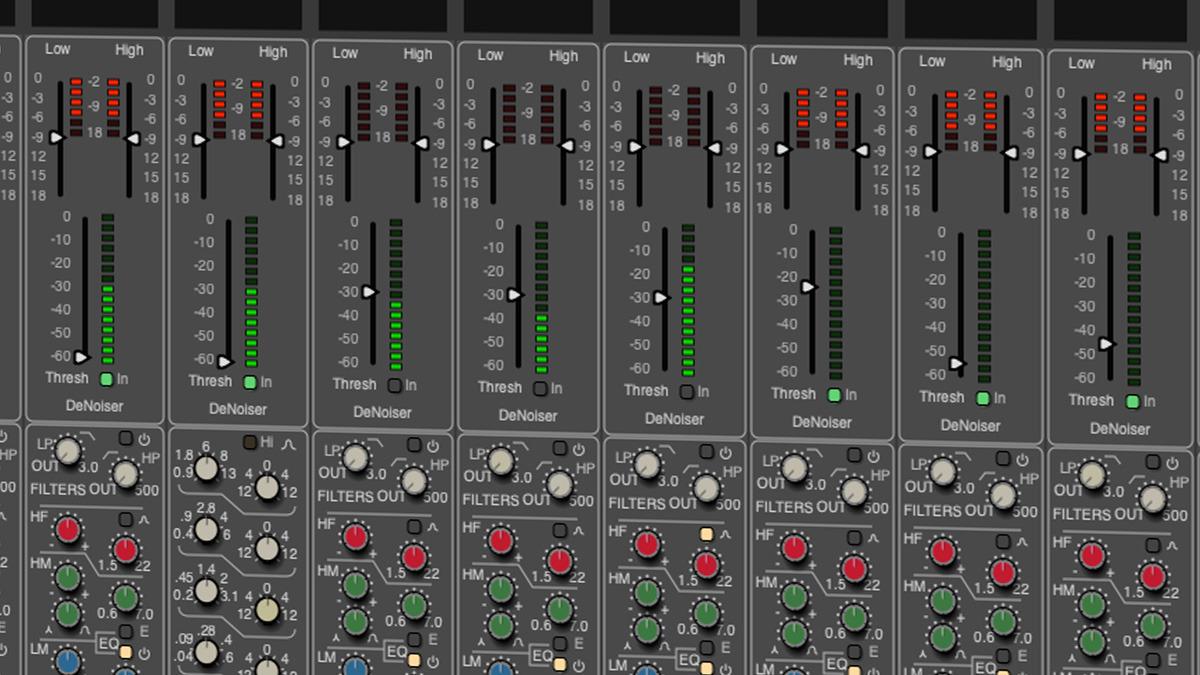
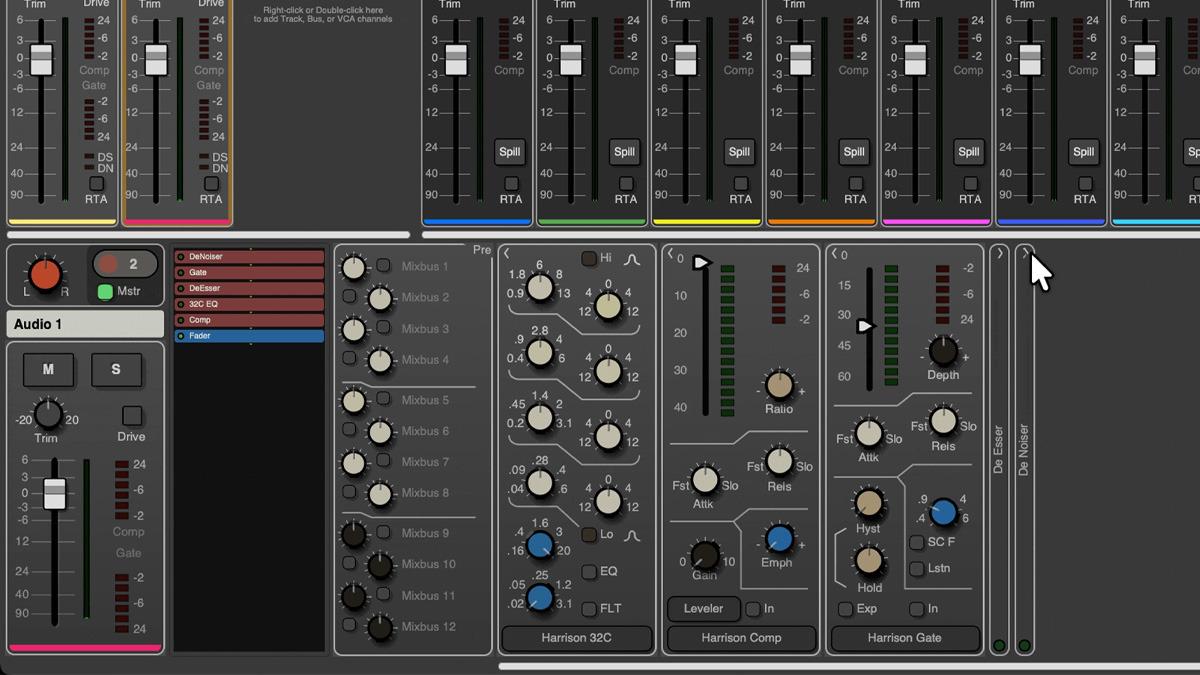
Mixbus 12 introduces a built-in DeEsser and DeNoiser on every channel strip, expanding its powerful mixing toolkit. Drawing on Harrison’s decades of experience designing some of the world’s largest motion picture consoles, these processors deliver post-production–grade noise control directly within your mix. With the DeEsser and DeNoiser available on every channel, you can effortlessly tame sibilance and reduce unwanted noise across any source in your session.
Stay Up to Date with Harrison
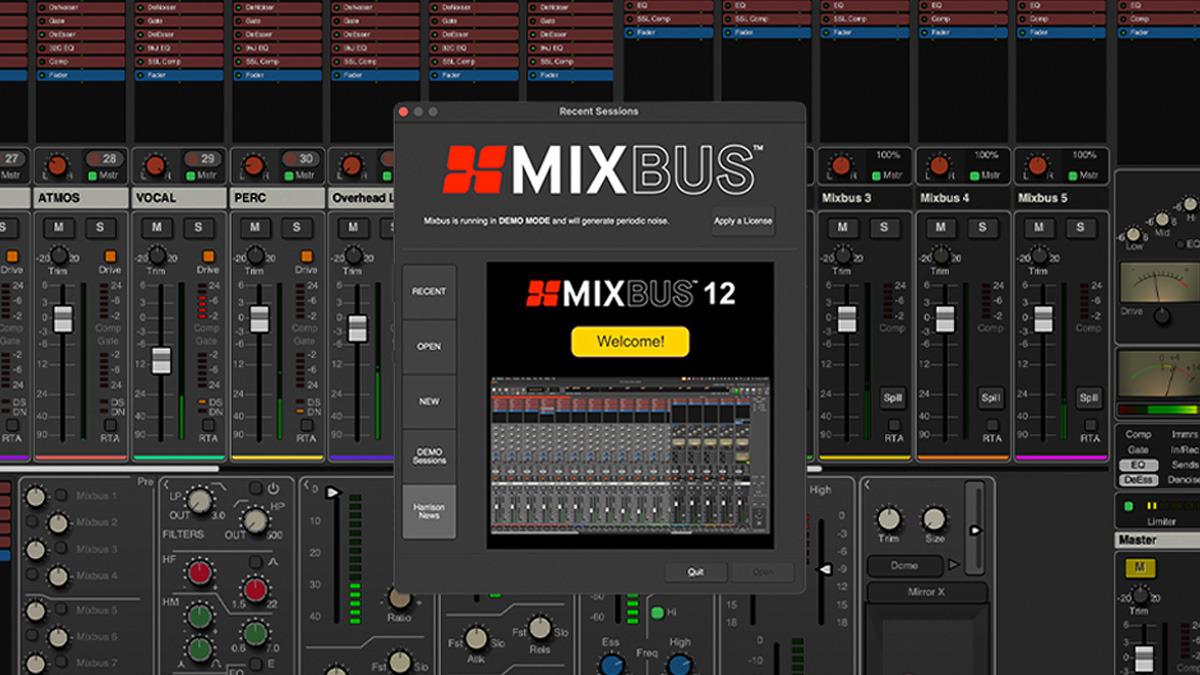
Be the first to discover what’s new from Harrison. Get the latest on software updates, product launches, and exclusive Mixbus project demo sessions, delivered straight to you upon starting Mixbus 12.
Expanded Cue Performance & MIDI Tools
Take your performance further with expanded cue clips in Mixbus 12. Launch audio or MIDI clips with a single button press, or trigger them automatically from the timeline. Now, with up to 16 cue rows, you have greater flexibility to build more complex and dynamic creations. You can now also record both MIDI and audio clips directly into cue slots for a faster, more intuitive workflow.
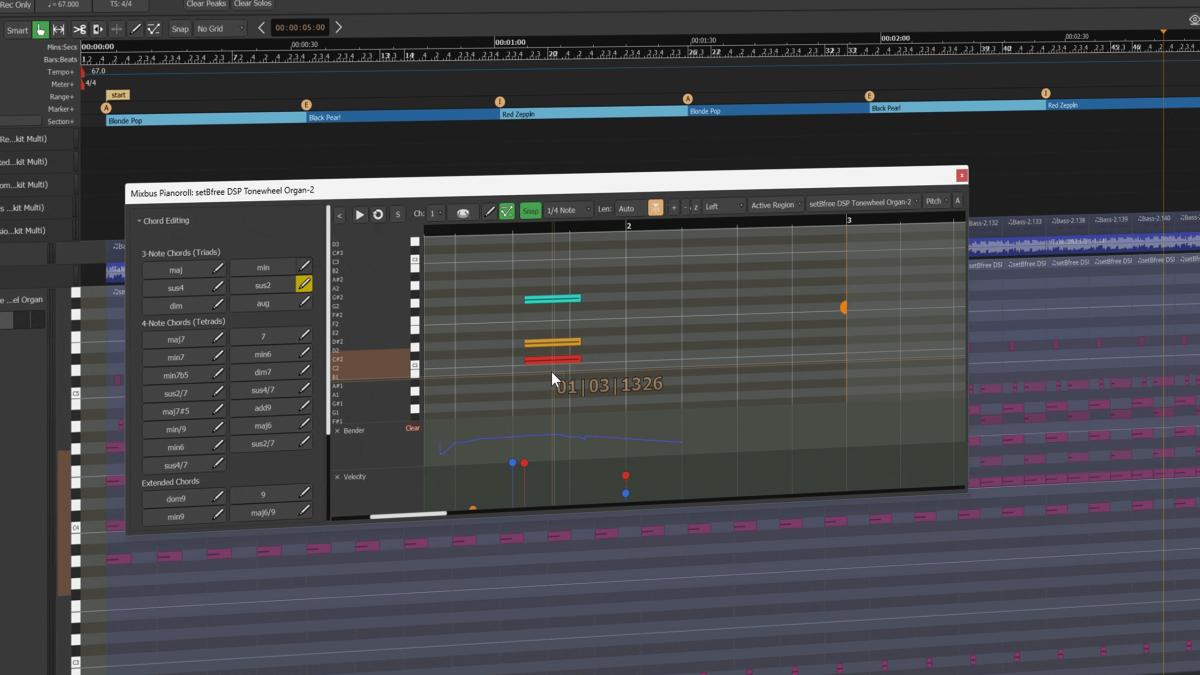
Mixbus 12 also introduces a wide range of new MIDI piano roll features, making in-the-box music production more powerful than ever.
Get There Faster
Mixbus 12 introduces further streamlined workflow improvements to keep you moving. Save your favourite processing chains as templates, so you can quickly apply your signature sound to any track. A new, darker GUI colour scheme reduces fatigue and helps you stay in the creative zone for longer. Navigate your sessions with ease using the new vertical and horizontal scroll tools, while the Focus Channel’s collapsible view keeps your attention exactly where it needs to be.
The DAW you're searching for...
- Fully-featured music production suite, inspired by Harrison's legendary analog console sound & workflow.
- Ultra-intuitive Transport Toolbar, featuring dedicated Cue, Record, Edit & Mix pages for a streamlined production workflow.
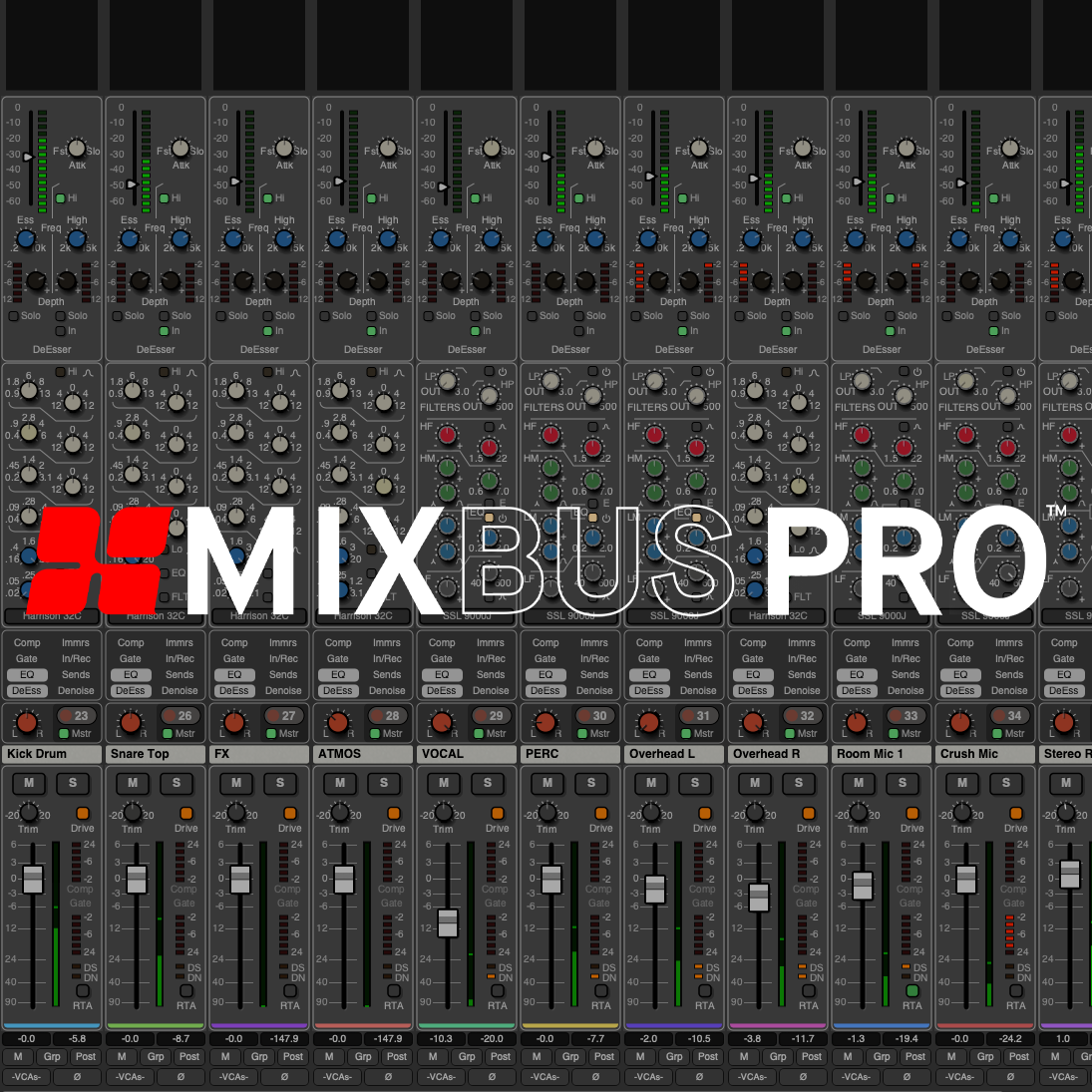
- Dedicated knob-per-function mixer, featuring Harrison's signature 32C EQ, and the optional SSL 9KJ Channel Strip available in Mixbus Pro.
- Dolby Atmos immersive mixing tools available in the Mixbus Pro. Craft 3D immersive masterpieces, ready for uploading to streaming services.
- Dedicated Focus Channel strip, designed to make mix adjustments quick and easy on any screen size.
- Studio-grade multitrack recording and smart editing tools, intuitive arrangement features, and high-quality virtual instruments.
- Advanced audio features, including a dedicated record window for monitoring input levels before creating tracks, and per-region FX processing.
- Dedicated MIDI "Piano Roll" editor window.
- Advanced audio tools such as Polarity Optimization, Mixer Scenes, VCA Faders, Loudness Analysis, and more.
Different to Other DAWs...

A streamlined, inspiring workflow
As musicians and producers, we understand the need to have no barriers in the way of creativity. Mixbus not only features our signature console-inspired sound and knob-per-function workflow, but also dedicated Cue, Record, Edit, and Mix pages that both streamline and structure every stage of the music-making process.
Focus on your Mix
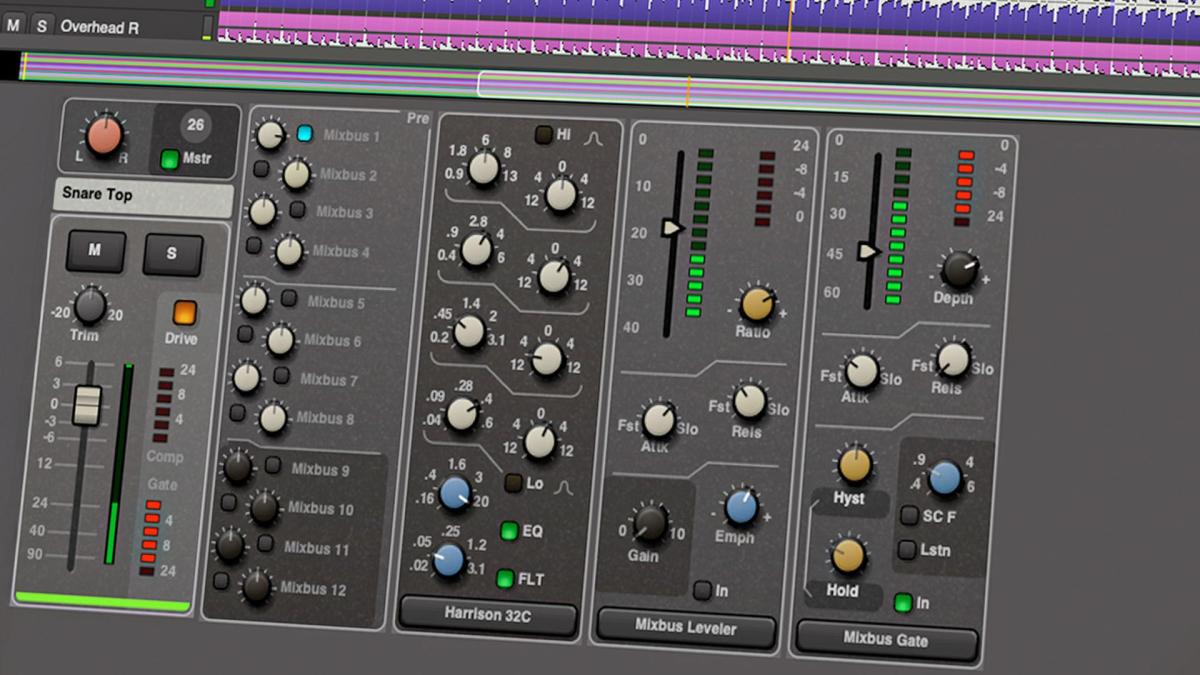
The newly introduced Focus Channel strip grants you easy access to the signature Harrison processing tools, including the legendary 32C EQ, Compressor, Gate, and Mixbus Sends on every track. This feature is designed to make your mixing workflow easier to comprehend, regardless of your level of experience or screen size.
Signature Console Sound
The legendary Harrison sound
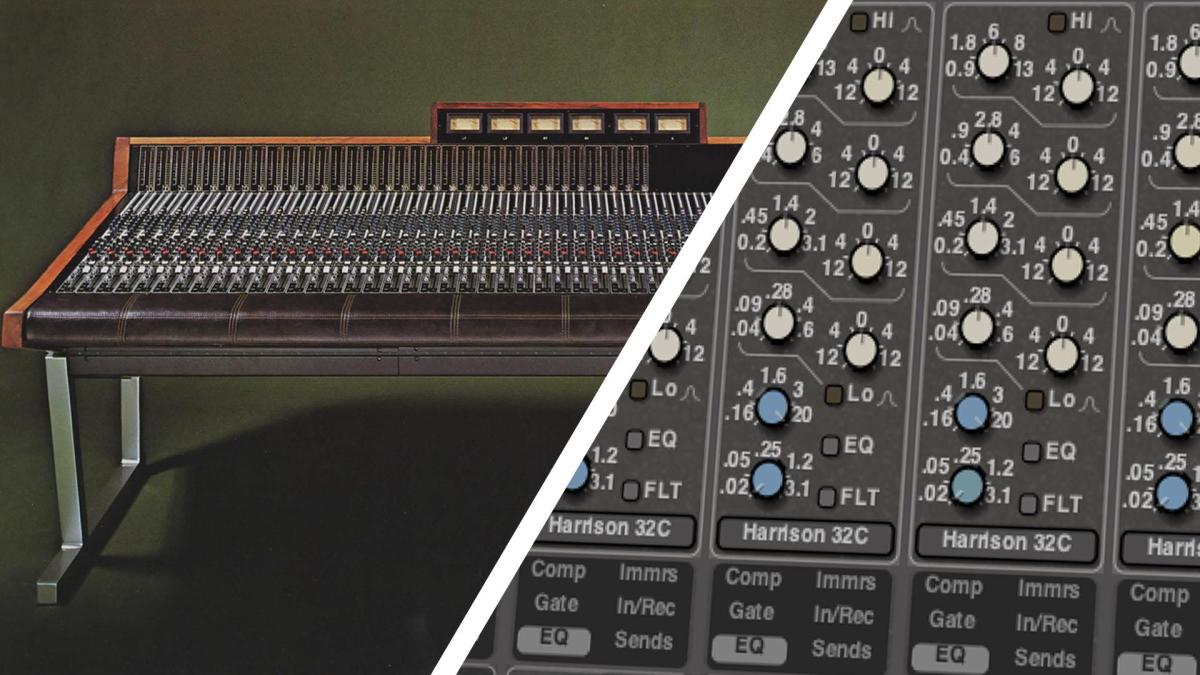
At Harrison, our roots are in analog circuit design, and we believe that the analog sound is the secret sauce to producing great records that stand the test of time.That’s why Mixbus is equipped with the iconic 4-band Harrison 32C Console EQ, complete with HP/LF filters, alongside fantastic-sounding compressors and limiters.
Mixbus also faithfully reproduces Harrison's tape saturation, bus compression, and tone control features across every bus, ensuring that productions retain the warmth, depth, and richness of Harrison's sound.
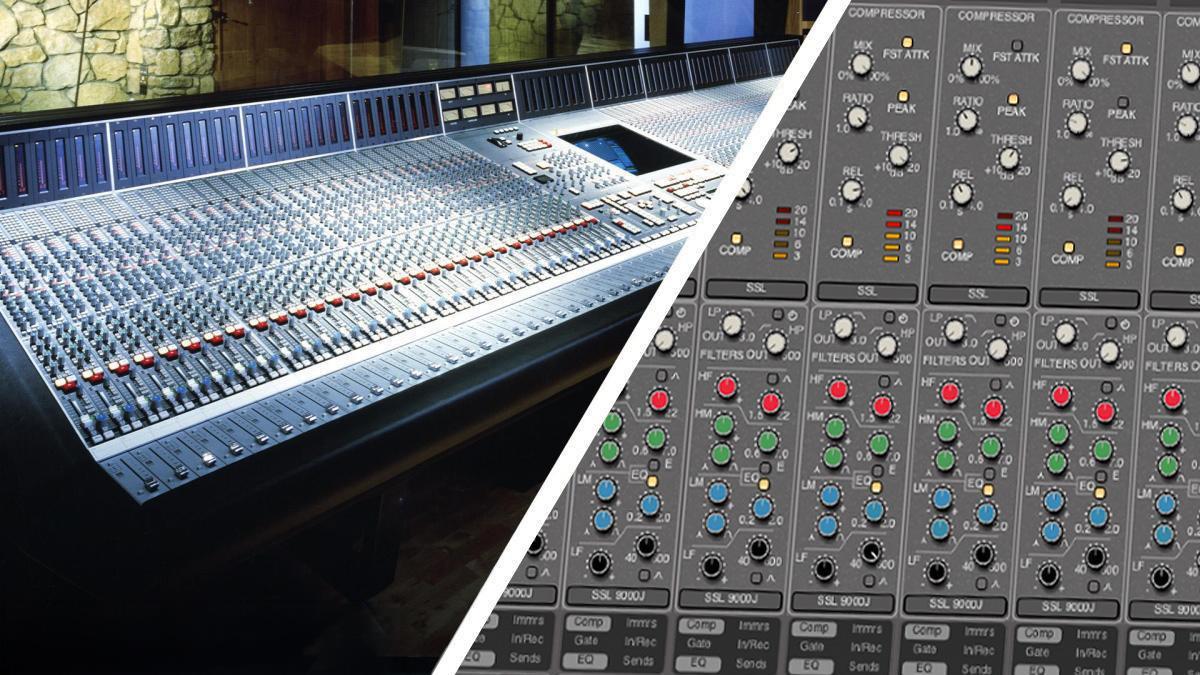
In collaboration with Solid State Logic
With Mixbus Pro, seamlessly switch between Harrison’s 32C channel strip and the SSL 9000 J’s iconic EQ and dynamics, including both its compressor and expander/gate, for a versatile, professional-grade mixing experience.
Renowned for shaping countless pop, hip-hop, and R&B hits in the late ’90s and early 2000s, the SSL 9000 J brings a distinct tightness and punchy sonic character, offering the perfect contrast to the musical warmth of the Harrison 32C.
Get Inspired... Be Creative
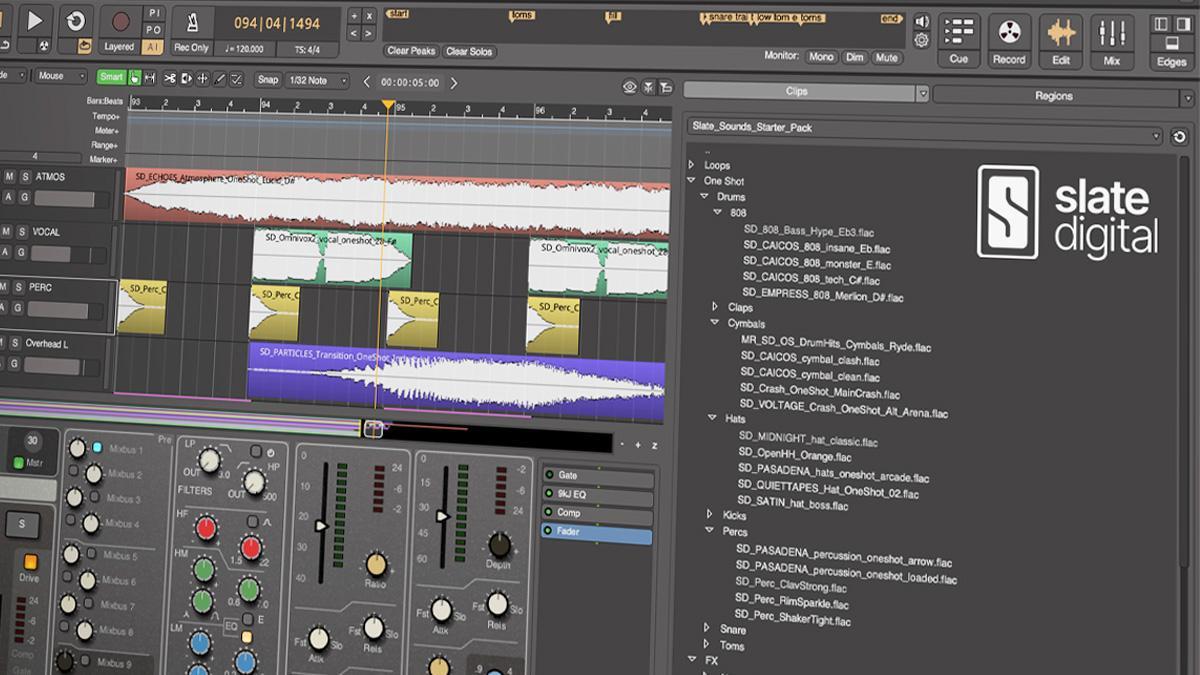
Slate Sounds Starter Pack
Get access to Slate Digital’s ‘Slate Sounds Starter Pack’, featuring over 100 high-quality loops and samples. From punchy drums and deep bass to expressive guitars, lush keys, vibrant vocals, and inspiring song starters, this collection from the acclaimed Slate Sounds library is designed to kickstart your next production.
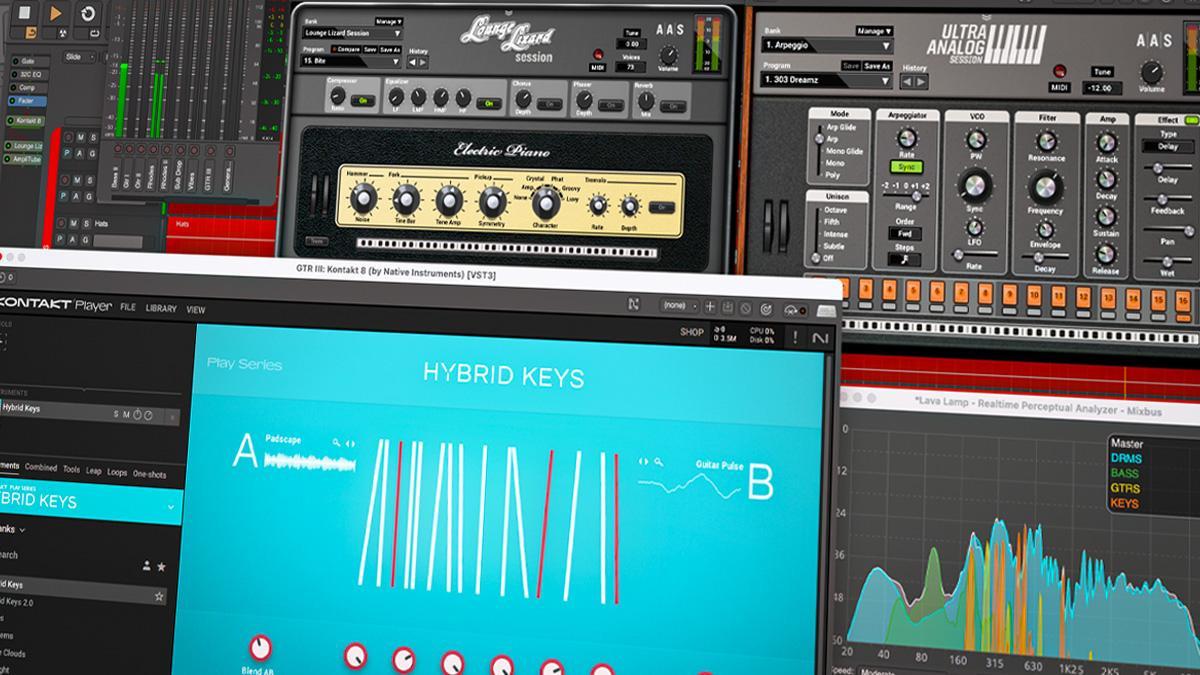
Harrison Creator Pack
Enhance your creative process and get inspired with the all-new Harrison Creator Pack. Delivering a handpicked selection of instruments, plug-ins, and samples from top names like Slate Digital, LoopCloud, AAS, Native Instruments, IK Multimedia, and beyond, the Harrison Creator Pack equips you with everything you need to create and complete your music, from writing and composing to producing and mixing.

Professional Tools
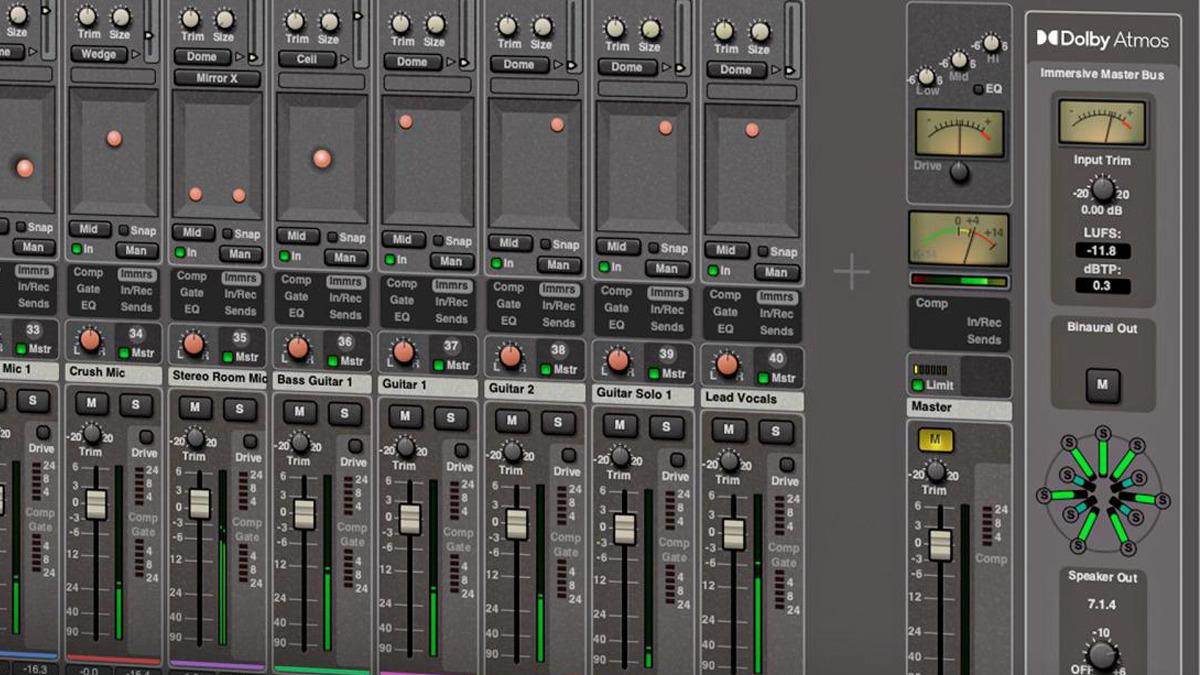
Immerse yourself with Dolby Atmos
Mixbus Pro comes with Dolby Atmos immersive mixing tools, allowing you to craft spatial audio mixes and productions. Precisely position elements of your mix with our Atmos immersive panners and directly export a Dolby .adm immersive file, ready for uploading your 3D audio to streaming services.
Monitor your mix on 7.1.4 speakers or simulate a surround mix in your regular headphones using Mixbus’s built-in binaural renderer.
Everything you need, when you need it
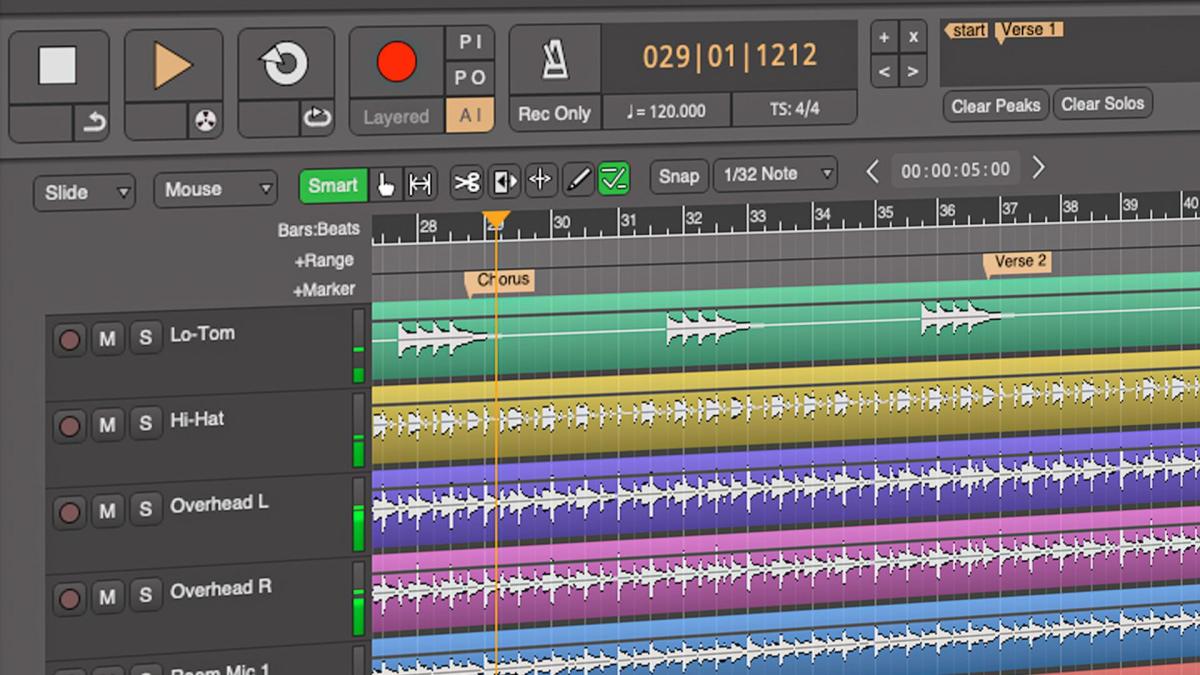
Designed to be ultra-intuitive, the Transport Toolbar features only the tools you need to make music without distractions. The new Locator Bar makes it even easier to navigate between markers, song structures, or individual compositions, ensuring you always stay on top of your session.
Become A Master of MIDI
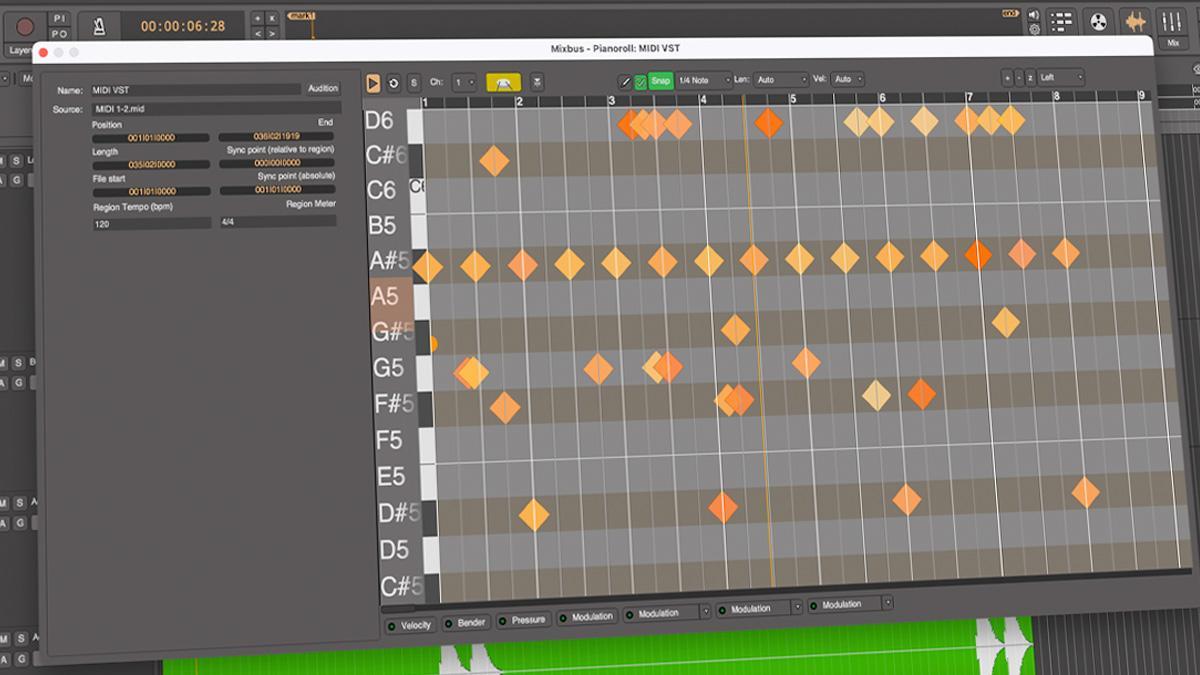
Master of MIDI with our dedicated MIDI “Piano Roll” window. Sequence drum grooves, quantize MIDI performances, and add emotion to virtual instruments with our intuitive MIDI editor. – A range of improved MIDI enhancements, including a refined Piano Roll building and new Clip Editor capabilities can be found in Mixbus.
Advanced Audio Tools
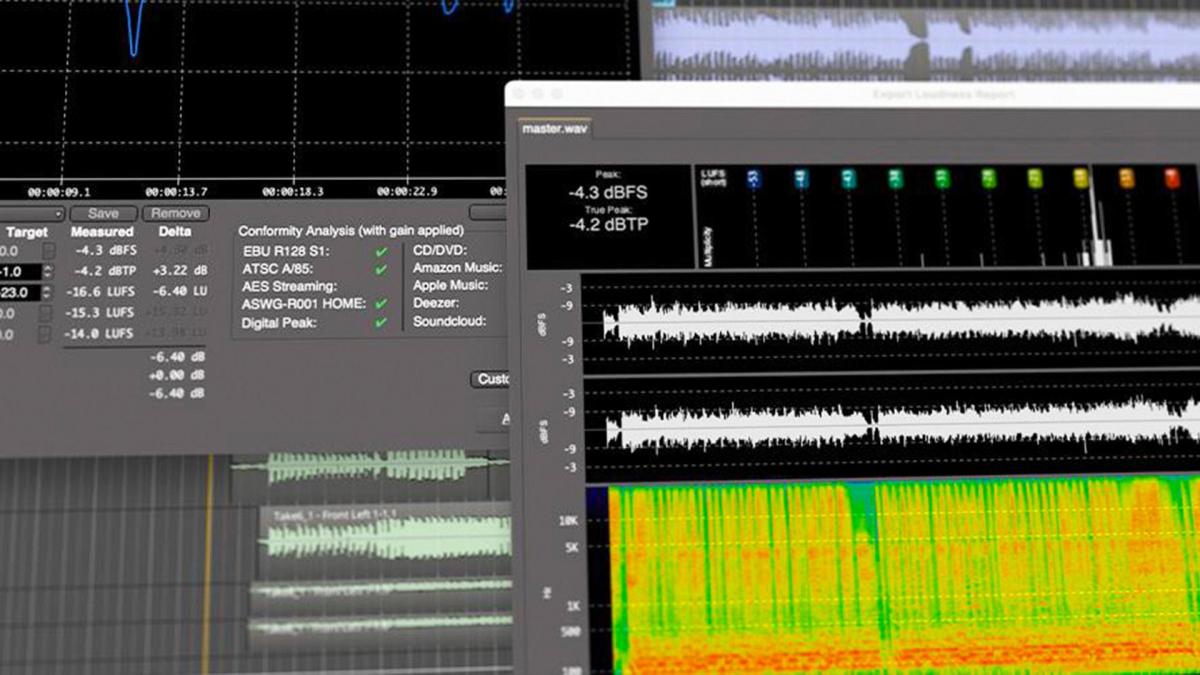
Take advantage of advanced audio features, including our dedicated Record Window that displays input level meters directly from your audio interface, giving you complete visibility of your input sources, even before creating any tracks. Mixbus also features advanced smart-audio-editing capabilities and per-region FX processing for applying plug-in effects directly to any audio.

Mixbus Resources

Mixbus 12 Downloads
*Dolby, Atmos, and the double-D symbol are registered trademarks of Dolby Laboratories.